


Go to Windows platform Display platforms icon
Go to Windows platform Go to Mac platform Go to Android platform Go to iOS platform
Razer Cortex icon

Razer Cortex

11.12.0.14
2 1 reviews
19.1 k downloads
security security

Enhance your gaming experience with software from Razer

Advertisement
Remove ads and more with Turbo
Advertisement
Remove ads and more with Turbo
Andrés López icon
Reviewed by
Andrés López
Content Editor
Andrés López is part of Uptodown's in-house Editorial Team. Translated by Uptodown Localization Team

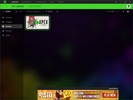
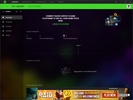
Razer Cortex is the official Razer app that includes all of its software solutions within a single package, so you don't have to download a bunch of additional programs. Among them, you'll find Game Launcher, Game Booster, Booster Prime, System Booster, Razer Cortex: Deals, Paid to Play, and Cortex Mobile. This collection of apps is particularly useful if you regularly use your PC for gaming, since it provides a game launcher, resource optimization, access to offers and discounts, and much more, all within a single client.

Game Launcher

The first app included on Razer Cortex is Game Launcher. From this tab, you can launch, manage, and organize all the games on your PC. One of the great advantages of using this tool is the ability to connect several platforms and games that exist outside of them. You can launch games from other clients, as well as games you've downloaded and installed on your PC by other methods.

Advertisement
Remove ads and more with Turbo

Game Booster and Booster Prime

One of the most interesting tools offered by Razer Cortex is Game Booster, which improves the performance of your PC when you're playing games by freeing up resources in the background. This tool is particularly useful for users with mid-range equipment. Beyond that, Booster Prime uses the latest advances in AI technology to improve your PC's performance.

System Booster

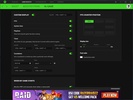
Although it's not one of the most popular apps on Razer Cortex, with System Booster, you can clean and optimize your computer to free up hard drive space and resources. You can defragment your game packages to make them load faster. You will also be able to take a comprehensive look at all the components of your computer and all the versions of programs you have installed.

Deals and Paid to Play

Another very interesting feature offered by Razer Cortex is Razer Cortex Deals. On this tab, you can find good deals on video games. It's as simple as that. Basically, you can visit this tab on the app to find deals on some of the best video games of the moment. With Paid to Play, on the other hand, you can get Razer Silver coins for just playing. These coins can then be exchanged for various rewards.

The perfect complement for gamers

Download Razer Cortex to discover a super comprehensive client made for anyone who loves video games. Thanks to this software, you will be able to improve the performance of your games, find good deals, and even save time when launching your favorite titles. And, if you also use peripherals from Razer, you can easily configure them with Razer Synapse. Nothing but upsides.

Information about Razer Cortex 11.12.0.14

Basic information

Developer Razer Inc.
Category Gaming Tools
Rating All ages
Languages English
7 more

Distribution model

Pricing Free
License Proprietary
Copyright © 2026 Razer Inc.
Why is this app published on Uptodown? (More information)

Security and privacy

Required permissions Not applicable
See security and antivirus report

Download info

Downloads 19,060
Date Nov 10, 2026
File type EXE
Size 14.23 MB
SHA256 e4eabf1a0cf030b773a1a14ed22f4cb337c5f85638863260215b6315d83eb570
Advertisement
Remove ads and more with Turbo

Older versions

See more
exe 11.8.1.3 May 26, 2026
exe 11.4.10.0 Nov 27, 2025
exe 11.1.5.0 Apr 30, 2025
exe 10.16.1.0 Nov 13, 2024
exe 10.15.5.0 Oct 15, 2024
exe 10.11.5.0 Feb 5, 2024

Rate this App

Review the app
Razer Cortex icon

Rating

2.0
5
4
3
2
1
1 reviews

Comments

There are no opinions about Razer Cortex yet. Be the first! Comment

Advertisement
Remove ads and more with Turbo
TLauncher icon
The best launcher for Minecraft
Steam icon
The quintessential PC video game platform
Epic Games Launcher icon
Official launcher for the Epic Games Store
Rockstar Games Launcher icon
The official Rockstar Games client
Prism Launcher icon
Manage different Minecraft accounts and mods
Xbox icon
The Xbox universe in your PC
Hello Minecraft! Launcher icon
A launcher for Minecraft that supports many features
Hydra icon
Download games on PC and manage them with this launcher
TLauncher icon
The best launcher for Minecraft
Steam icon
The quintessential PC video game platform
Epic Games Launcher icon
Official launcher for the Epic Games Store
Rockstar Games Launcher icon
The official Rockstar Games client
Prism Launcher icon
Manage different Minecraft accounts and mods
Cubion Launcher Minecraft icon
Cubion is a safe, Minecraft launcher for Windows
DZALauncher icon
The ultimate tool for DayZ players.
VFUN icon
Manage your VALOFE games
Driver Booster icon
Update all the obsolete drivers on your PC
Custom Resolution Utility (CRU) icon
Create custom resolutions on Windows
RAMMap icon
See how Windows manages your RAM
Wintoys icon
Get the most out of Windows
Fan Control icon
Control the speed of your PC's fans
IOLO System Mechanic icon
Optimize PC performance with ease
Sparkle icon
Optimize Windows and improve your PC's performance
Win11Debloat icon
Optimize Windows 11 and remove bloatware
RoS: Legacy icon
The return of a battle royale classic
eFootball 2027 icon
Feel the magic of soccer on PC
Minecraft icon
Build, create and give free rein to your imagination.
Tekken 3 Recompiled icon
Play Tekken 3 natively on PC
Need for Speed Most Wanted icon
Can you become the Most Wanted?
Free Fire MAX icon
Play Free Fire Max, now on PC
EA Sports FC Mobile 27 (FIFA Soccer) icon
The mobile version of FIFA, now on Windows
GTA IV: San Andreas icon
San Andreas is back to life in GTA IV